Designing Around the Date: Using a Wedding Calendar Vector
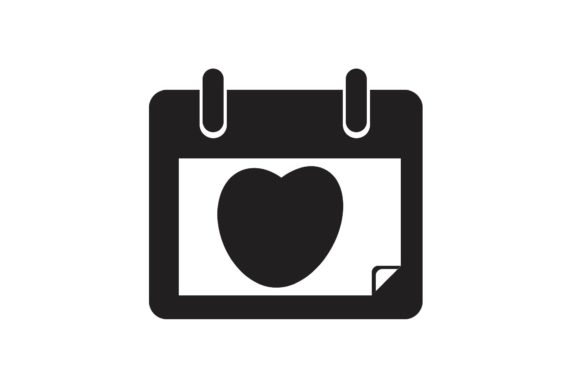
There is a specific moment in every wedding project where the timeline becomes the hero. It’s not just about the date of the ceremony; it’s about the countdown, the planning phases, and the milestones leading up to the big day. For designers, planners, and couples creating their own stationery, the Wedding Calendar Vector Illustration has emerged as an unexpectedly versatile design asset. It moves beyond the standard floral border or cursive monogram to offer something functional yet deeply romantic. By incorporating calendar elements into your designs, you aren't just decorating; you are marking time, creating urgency, and celebrating the journey.
Visual Storytelling Through Dates and Lines
What makes a calendar illustration so visually appealing in the context of weddings? It comes down to structure meeting sentiment. Wedding aesthetics are often dominated by flowing, organic shapes—calligraphy, blooms, and watercolor washes. Introducing a calendar element provides a necessary visual anchor. It offers clean lines, grids, and typographic hierarchy that contrast beautifully with softer design elements.
When you download a high-quality vector file, you aren't getting a static image. You are getting a set of building blocks. A well-designed Wedding Calendar Vector Illustration usually features customizable layers. This allows you to isolate specific elements—perhaps a minimalist outline of a calendar page or a vintage pocket-watch face containing a date wheel. This versatility is key for modern brand identity work, particularly for wedding planners and venues who need their materials to look polished and intentional.
Practical Applications for Wedding Professionals
For small business owners in the bridal industry, the utility of this graphic extends far beyond a single use. If you are a wedding planner, consider how this vector integrates into your packaging design. Imagine a client welcome kit where the exterior box features a debossed calendar grid with their specific wedding date highlighted in gold foil. It immediately communicates professionalism and attention to detail.
Here are a few specific ways to deploy this asset across different media:
- Save the Dates & Invitations: This is the most obvious application, but it can be elevated. Instead of just listing the date, use the calendar vector to circle the day, adding a hand-drawn arrow or a floral accent connecting to the typography.
- Social Media Graphics: For content creators and influencers, a "Countdown" series is highly engaging. Use the vector to create Instagram Stories that count down the days, marking off specific planning tasks like "Cake Tasting" or "Dress Fitting."
- Editorial Design: If you are designing a lookbook or a wedding magazine spread, use calendar illustrations as sidebars to break up text. It helps organize information about wedding timelines without looking like a boring bulleted list.
- Merchandise: Think about bridal party gifts. A tote bag or a tumbler featuring a stylized calendar page of the wedding month makes for a sentimental keepsake that feels custom-made.
Typography Pairings and Font Strategy
A vector illustration rarely stands alone; it needs typographic support. The "calendar" aesthetic typically implies a grid, which means you are dealing with a lot of small text—the days of the week, the numbers, and perhaps event notes. This requires a specific approach to modern typography.
Since the calendar dates are structural and functional, they usually work best set in a clean sans serif font. Think of typefaces like Helvetica, Futura, or a geometric sans that prioritizes readability. You want the dates to be legible even at smaller sizes, especially if this is for web design or mobile viewing.
However, the "Wedding" aspect calls for elegance. This is where your font pairing skills come into play. Contrast the rigid grid of the calendar with a flowing script font or a handwritten font for the couple's names or the headline "Save the Date." The juxtaposition of a mechanical grid and a humanist script creates a dynamic visual tension that feels sophisticated. Avoid using a heavy display font for the actual dates within the calendar; it will make the design feel cluttered and difficult to read.
Ensuring Brand Consistency and Recognition
For entrepreneurs, specifically those selling digital products or services, consistency is currency. Using a Wedding Calendar Vector Illustration as a recurring motif can significantly boost brand recognition. If you are a stationery designer, you might use a specific style of calendar icon on your business cards, your website header, and your email signatures.
This creates a visual language that tells clients, "We manage the details." It subconsciously reinforces the idea that your brand is organized and reliable—two traits highly valued in the wedding industry. When selecting your vector, look for a style that matches your existing brand identity. If your brand is rustic and vintage, find a vector that mimics old ledger paper or typewriter keys. If your brand is sleek and modern, opt for a flat-design vector with sharp edges and minimal ornamentation.
Licensing and Commercial Use
Before you integrate these graphics into a client project or a product for sale, you must address the legalities. Not all design assets are created equal. When searching for a premium font or vector, check the licensing terms.
Most standard licenses allow for use in a single project or for a single client. If you are a creative entrepreneur planning to sell merchandise (like printed planners or wall art) featuring the calendar vector, you will likely need an extended commercial license. Always read the fine print regarding print runs and digital distribution. Using a properly licensed asset protects your business and ensures you aren't infringing on the original artist's copyright.
Testing and Refining Your Design
Finally, treat the vector as a component, not the whole picture. A common mistake in logo design and layout is failing to test how elements interact with negative space. A calendar grid is busy by nature. If you place it behind text, it might muddy your message.
Test your designs in black and white first to ensure the hierarchy is clear. Does the date pop? Is the couple's name legible? Check the readability on mobile devices, as most guests will likely view invitations or save-the-dates on their phones. By treating the Wedding Calendar Vector Illustration